Capture
Exact replies
Save the response that mattered, not a vague memory of the conversation.
For Gemini and ChatGPT power users
Topic Hashtag lets you capture exact responses, attach them to concepts, add your own notes, and explore the relationships later in a calm visual workspace.
What makes it useful
You are not just saving chats. You are turning scattered AI moments into connected, reviewable concepts.
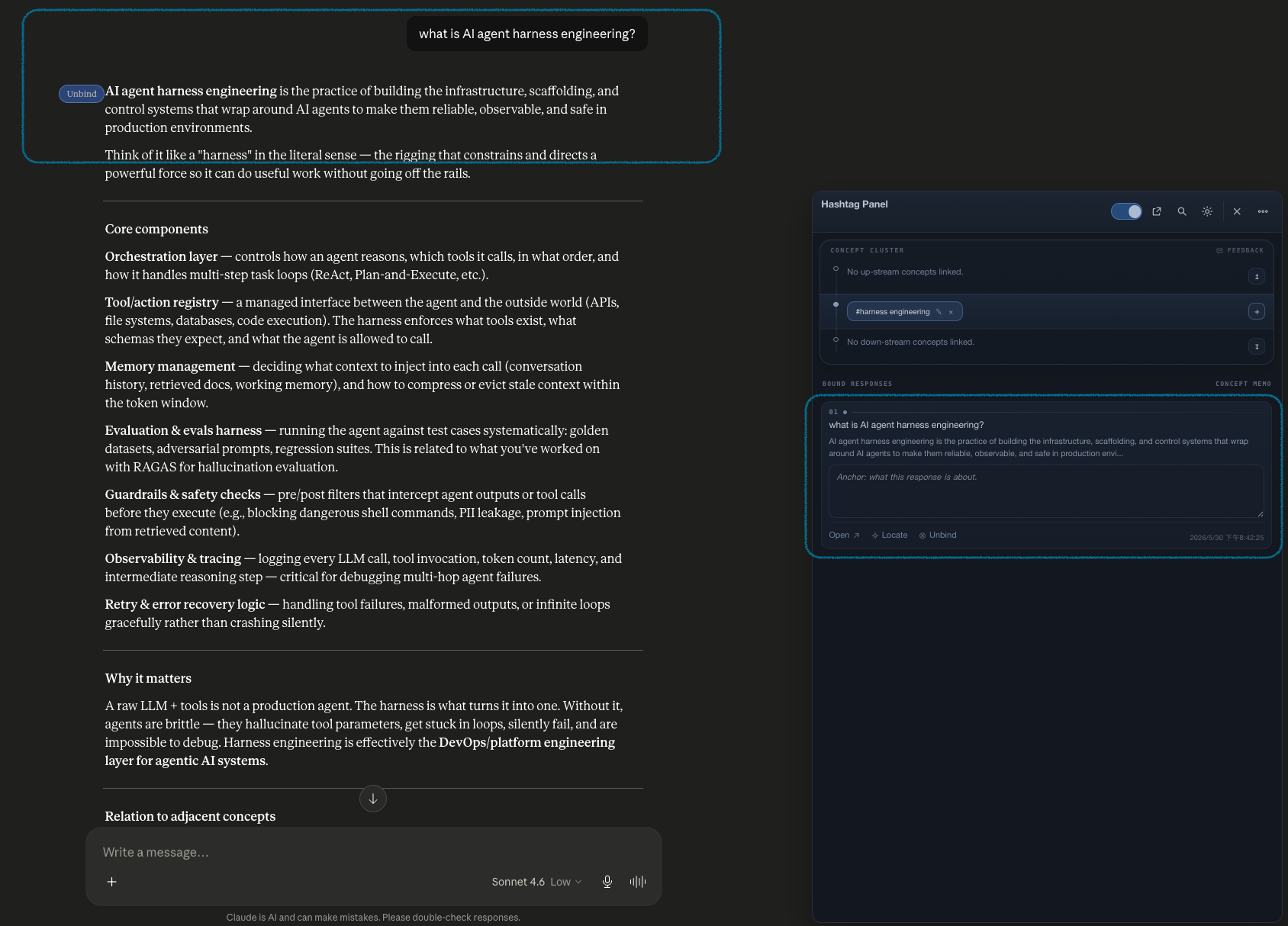
Capture
Save the response that mattered, not a vague memory of the conversation.
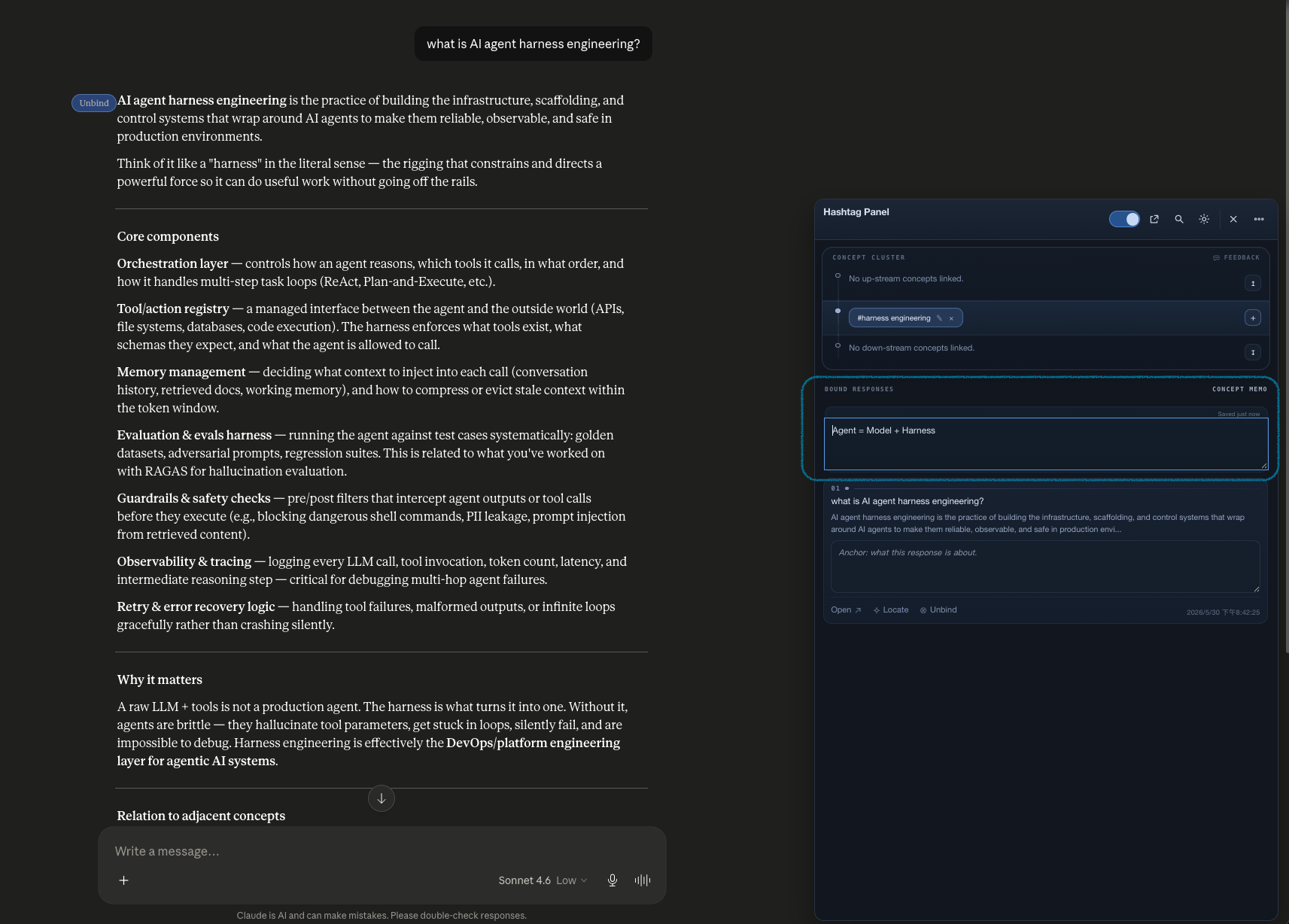
Explain
Add your own reason for why a response matters before context fades away.
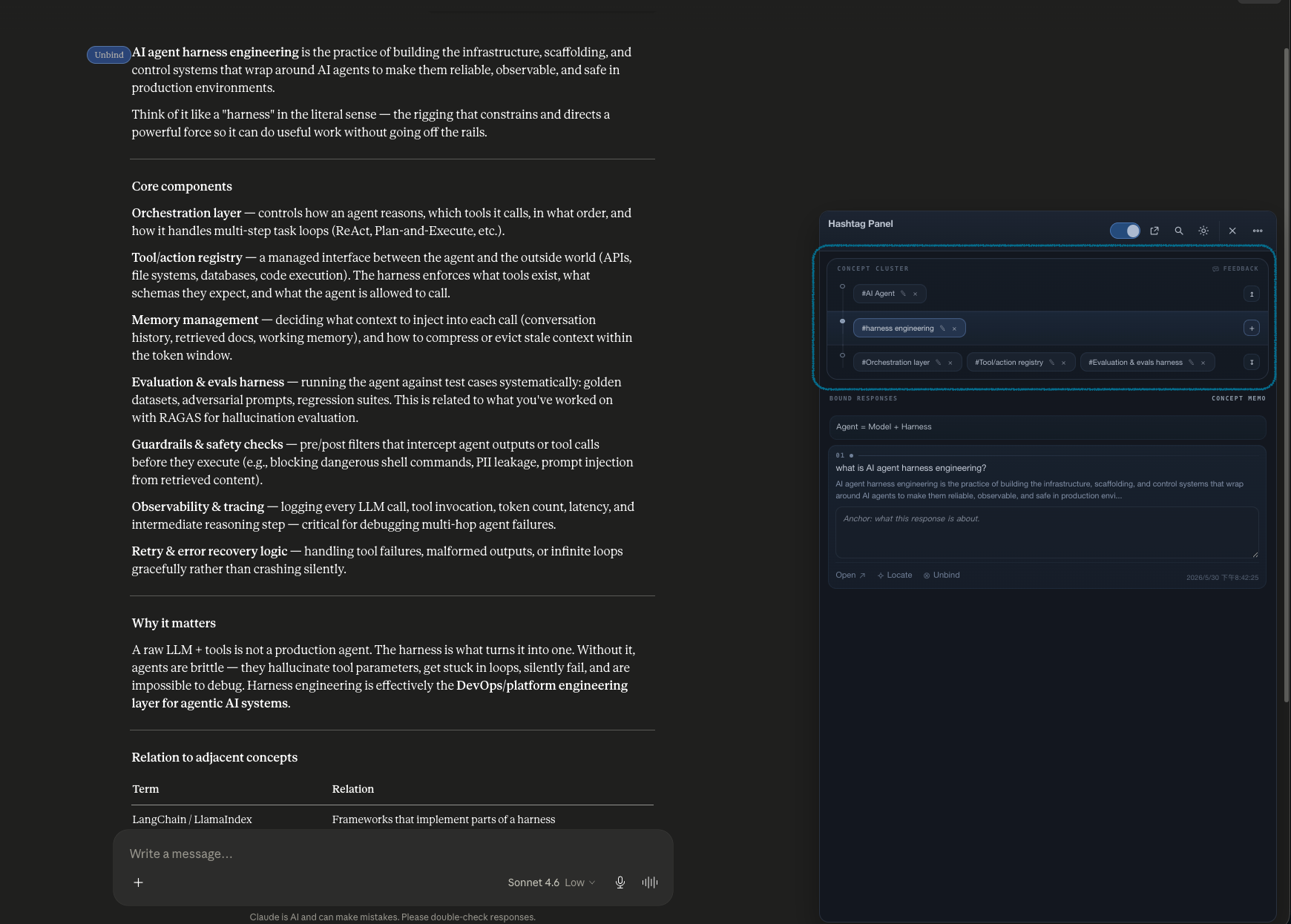
Connect
Grow a map of related hashtags instead of keeping isolated snippets.
Feature Tour
A handy tool to keep accumulating your wisdom through conversation, without leaving the AI context that already knows you best.
Inside Gemini or ChatGPT
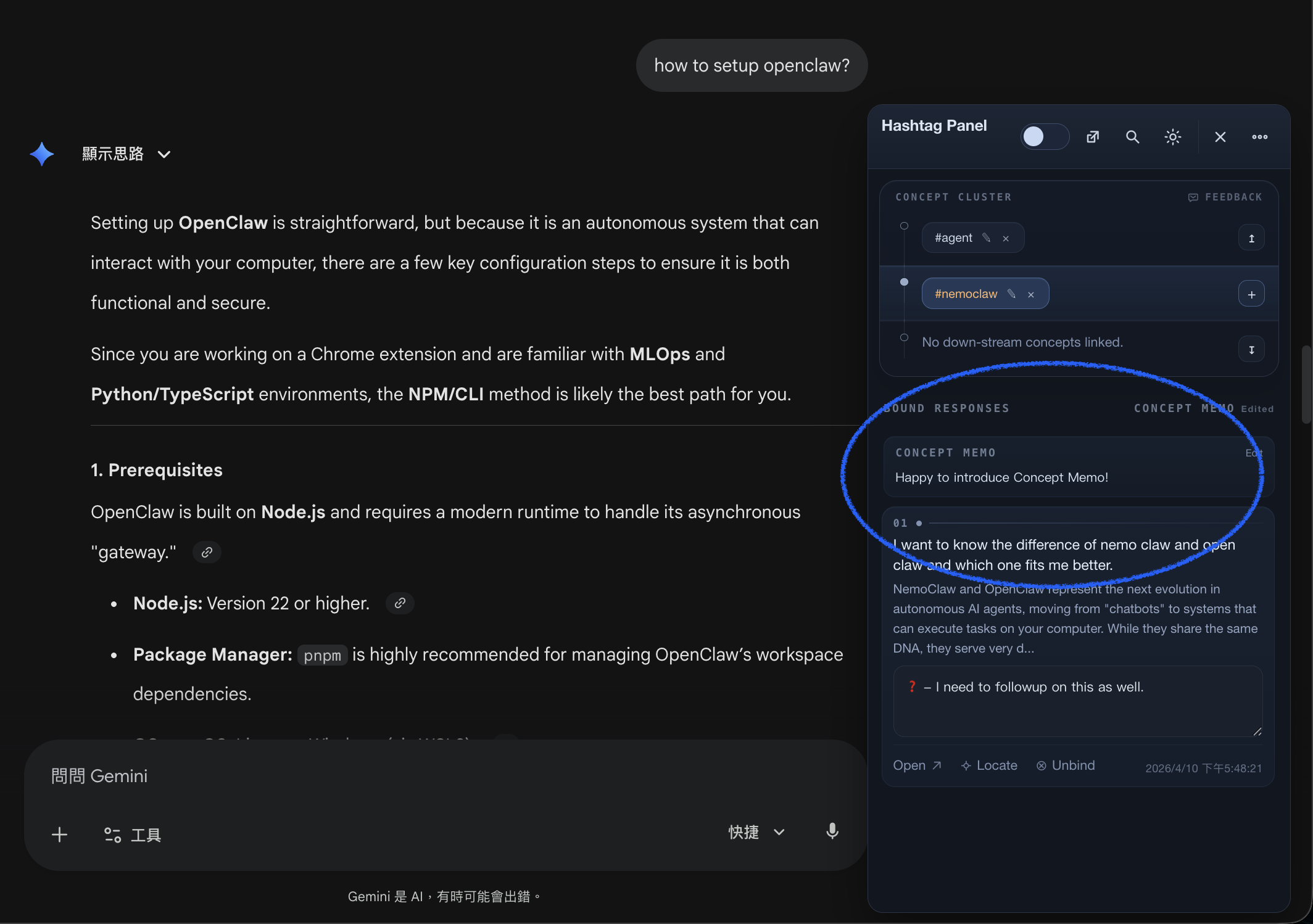
Topic Hashtag adds a compact panel directly on supported chat pages so you can create concepts while the idea is still fresh. Instead of moving your thinking into a separate third-party tool, you stay with the AI context that already knows your history, your prompts, and your long conversation flow.
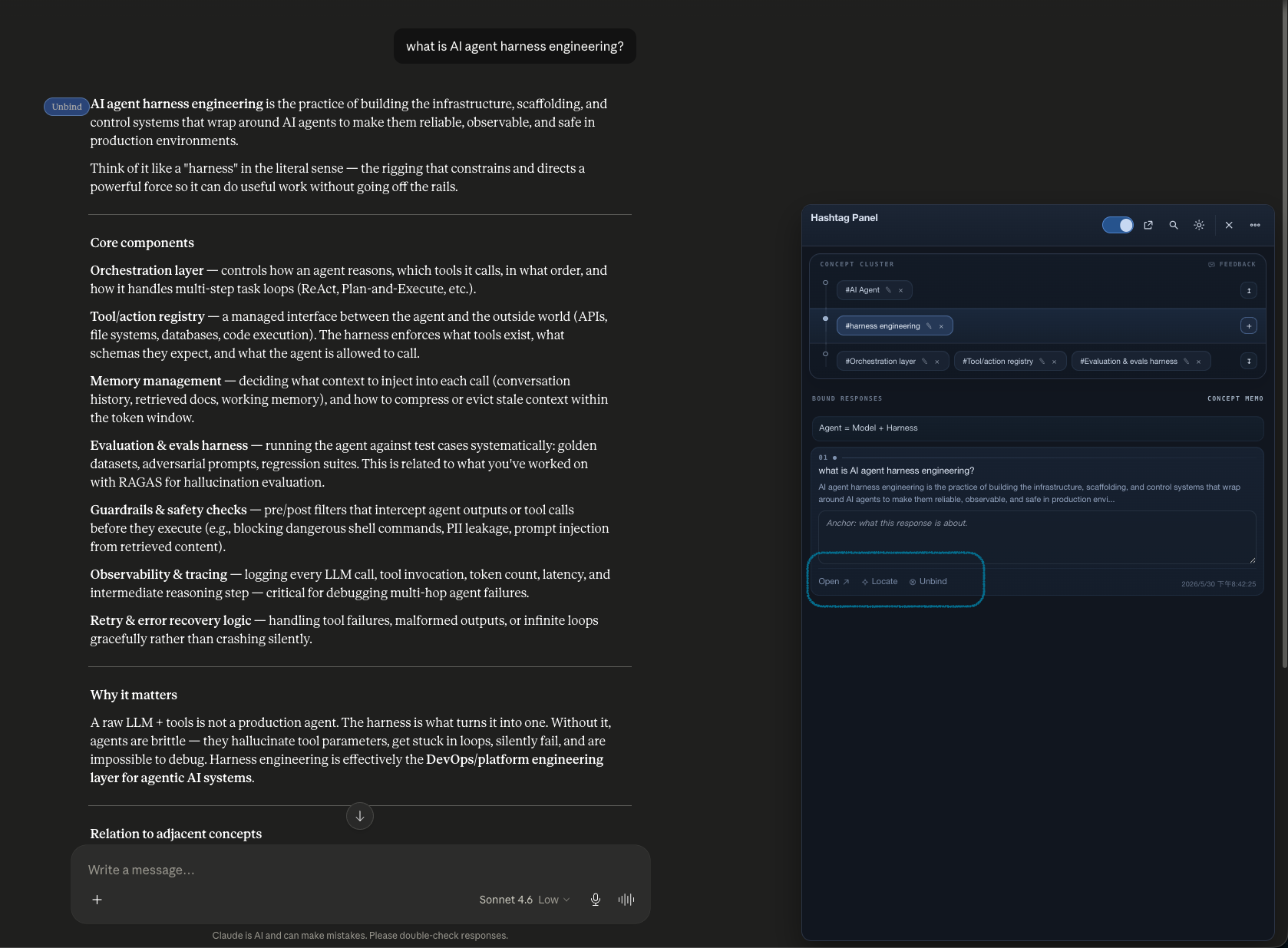
Bound responses
Each binding can include the source question, a snippet preview, and your own anchor note. Writing the note in your own words helps turn a useful response into something you can remember, recognize, and build into your own knowledge later.
Knowledge workspace
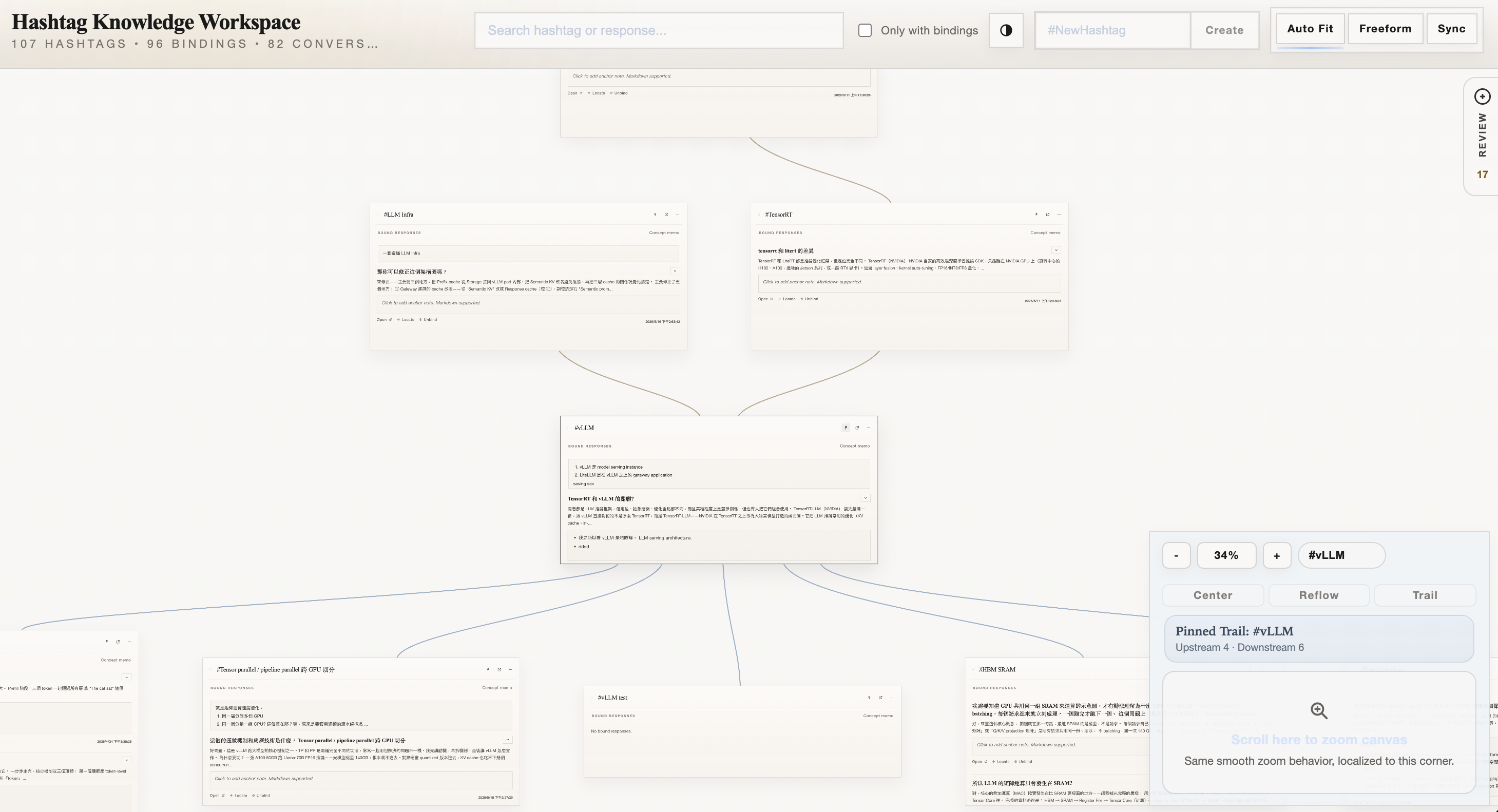
When the panel helps you capture ideas, the workspace helps you study them. You can drag concept cards around, resize them, review notes, and follow graph connections without digging through old chat tabs. You can also pin a card in view to recap how a piece of knowledge was formed across upstream, current, and downstream concepts.
Portability
The core experience works locally in Chrome storage. When you want backup or continuity across devices, you can export the workspace as JSON or opt into a Google Drive sync file that stays in your own Drive. Markdown export for importing into your favorite note-taking tools is also planned for a future version.
How It Works
While you are talking to Gemini or ChatGPT, turn on capture mode and save the response worth keeping.
Bind the response to a hashtag so the conversation becomes part of a reusable idea, not a one-time interaction.
Add a short note about why the response matters, what it clarified, or how it relates to adjacent concepts.
Open the workspace to review the graph, find related ideas, and jump back to the original response when needed.
Why it is different
Most chat tools help you generate content. Topic Hashtag helps you keep the parts that shaped your understanding and organize them into an evolving structure.
Useful for
Use it when you are comparing frameworks, collecting prompts, tracing definitions, preserving explanations, or building your own personal reference map from AI chats.
Privacy
Topic Hashtag stores data in Chrome locally unless you explicitly export or enable sync. Google Drive integration is optional, and when enabled it writes one workspace file into your own Drive folder.
FAQ
Not exactly. It sits earlier in the process. It helps you catch useful AI replies at the moment of discovery, label them as concepts, and review them later in a more connected way.
The current extension targets Gemini and ChatGPT chat pages. The panel appears on supported domains so you can work directly where the conversation happens.
Yes. The workspace can be exported as JSON and imported later. Optional Google Drive sync adds a second path for continuity across devices.
Install the extension from the Chrome Web Store, then start by saving one concept from a real conversation. The product becomes much clearer after the first bound response and note.
A calmer way to keep what matters
From one saved response to a connected workspace, the goal is simple: make the valuable parts of AI-assisted thinking easier to revisit, understand, and extend.
Back to Top